
How to Stop and Start Your VPS
Short answerUse Shutdown to stop the VM and Boot to start it again from Services → My Services → your VPS. Prefer graceful shutdown inside the OS when possible. Shutdown does not stop billing — cancel only when ending the subscription.
Overview
Power buttons live on each VPS service page. Status labels: How to Understand VPS Status Labels. Console fallback: How to Use the NoVNC Console.
- Log in to billing.vpsgrid.net
- Open Services → My Services → your VPS
- Use Shutdown, Boot, or Reboot as needed
Shutdown
Prefer graceful shutdown from inside the OS (shutdown -h now or Windows Shut down). Client area Shutdown sends ACPI signal when guest OS supports it.
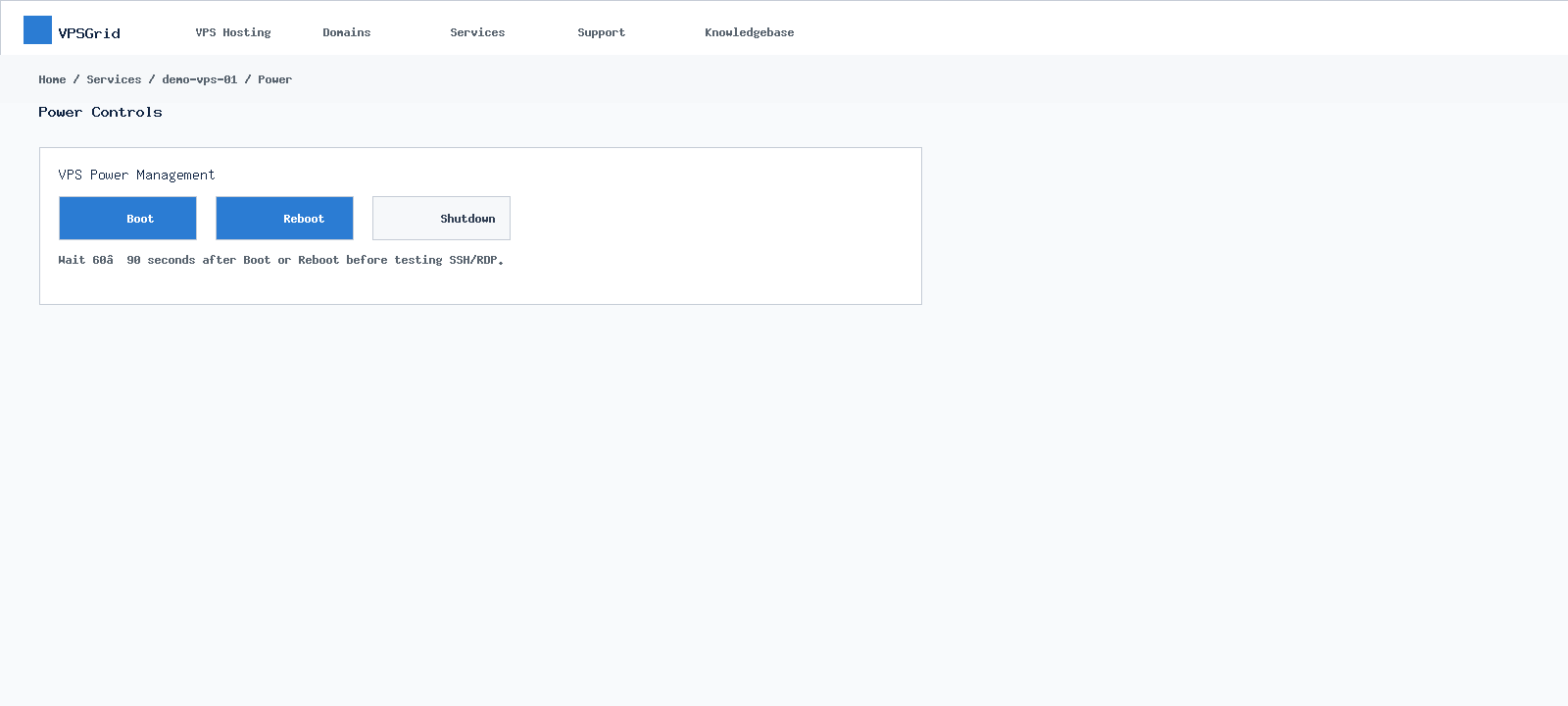 Use Boot, Reboot, or Shutdown from the service management panel.
Boot
After Shutdown, click Boot in client area. Wait for Active indicators before connecting.
For maintenance windows, notify users and stop application services before shutdown.
The VPSGrid client area centralizes services, billing, domains, and support. Bookmark billing.vpsgrid.net and explore VPSGrid Client Area Overview to locate power controls, noVNC, invoices, and tickets quickly.
Cost and Billing
Shutdown does not stop billing for active subscriptions. Cancellation follows terms at vpsgrid.net/legal.
Stuck Shutdown
If Shutdown does not complete, wait two minutes then use Reboot — How to Reboot Your VPS.
Power Actions Explained
Reboot restarts the guest operating system while keeping disk and network configuration intact. Shutdown stops the VM; you must click Boot to start again. These actions operate at the hypervisor level — they work even when SSH or RDP is unreachable, which makes them essential recovery tools alongside noVNC.
Never cancel a service to "turn it off" temporarily — cancellation follows billing terms at vpsgrid.net/legal and may delete data. Use Shutdown for maintenance and keep the subscription Active if you plan to return.
Service Detail Page
Each VPS product page in My Services consolidates the information you need daily: primary IP, hostname, status badge, power buttons, console launcher, OS reinstall, and upgrade paths. Bookmark the direct service URL after first login to skip navigation clicks during incidents.
When Client Area Differs From Guest OS
Active status means the hypervisor sees a running VM — not that your application responds on port 80. A misconfigured web server, exhausted disk, or guest firewall can make an Active VPS unreachable remotely. Always distinguish platform status from application health.
ACPI and Guest OS Support
Graceful Shutdown depends on guest OS ACPI handling. Minimal templates usually support this; if Shutdown hangs, use noVNC to power off from inside the OS, then Boot from client area.
Boot Troubleshooting
If Boot completes but SSH fails, the OS may hang at login — open noVNC to read console errors. Disk full conditions prevent clean boot on Linux.
Quick tips
- Use trusted devices for client-area sessions — noVNC and power controls affect live workloads
- When you manage multiple VPS products, label hostname and primary IP in your password manager to avoid rebooting the wrong server
- Upgrade and reinstall emails may look alarming — read subject lines before assuming an incident
Frequently Asked Questions
Is Shutdown the same as cancel?
No. Shutdown stops VM; cancellation ends billing per terms at vpsgrid.net/legal.
Related Articles
Need More Help?
Search this knowledgebase for related guides. If the issue persists, open a ticket at billing.vpsgrid.net with your service ID, primary IP, and steps already tried. See What Information to Include in a Support Request and Security Responsibilities on Unmanaged VPS for scope and required details.
¿Le ha resultado útil esta respuesta?

