
How to Transfer a Domain to VPSGrid
Short answerUnlock the domain at your current registrar, obtain the EPP/auth code, submit Domains → Transfer Domain in the client area, pay the transfer invoice, and approve confirmation emails. Transfers often complete in days (up to 7) and usually add one renewal year per registry rules.
Overview
This guide focuses on transferring an existing domain to VPSGrid. New registrations: How to Register a Domain with VPSGrid. Renewals: How to Renew a Domain.
VPSGrid offers domain registration/s and management alongside KVM VPS hosting. Domains are managed in the WHMCS client area at billing.vpsgrid.net. TLD pricing is shown at search and checkout — visit vpsgrid.net for current domain rates rather than relying on static price lists in articles.
Domains and VPS services share one account but bill separately. An expired domain stops resolving even when your Dallas KVM VPS still runs — visitors see DNS failures, not server errors.
Register a new domain instead?
Skip transfer and register through domain search — full walkthrough: How to Register a Domain with VPSGrid.
New registrations appear under/s Domains → My Domains
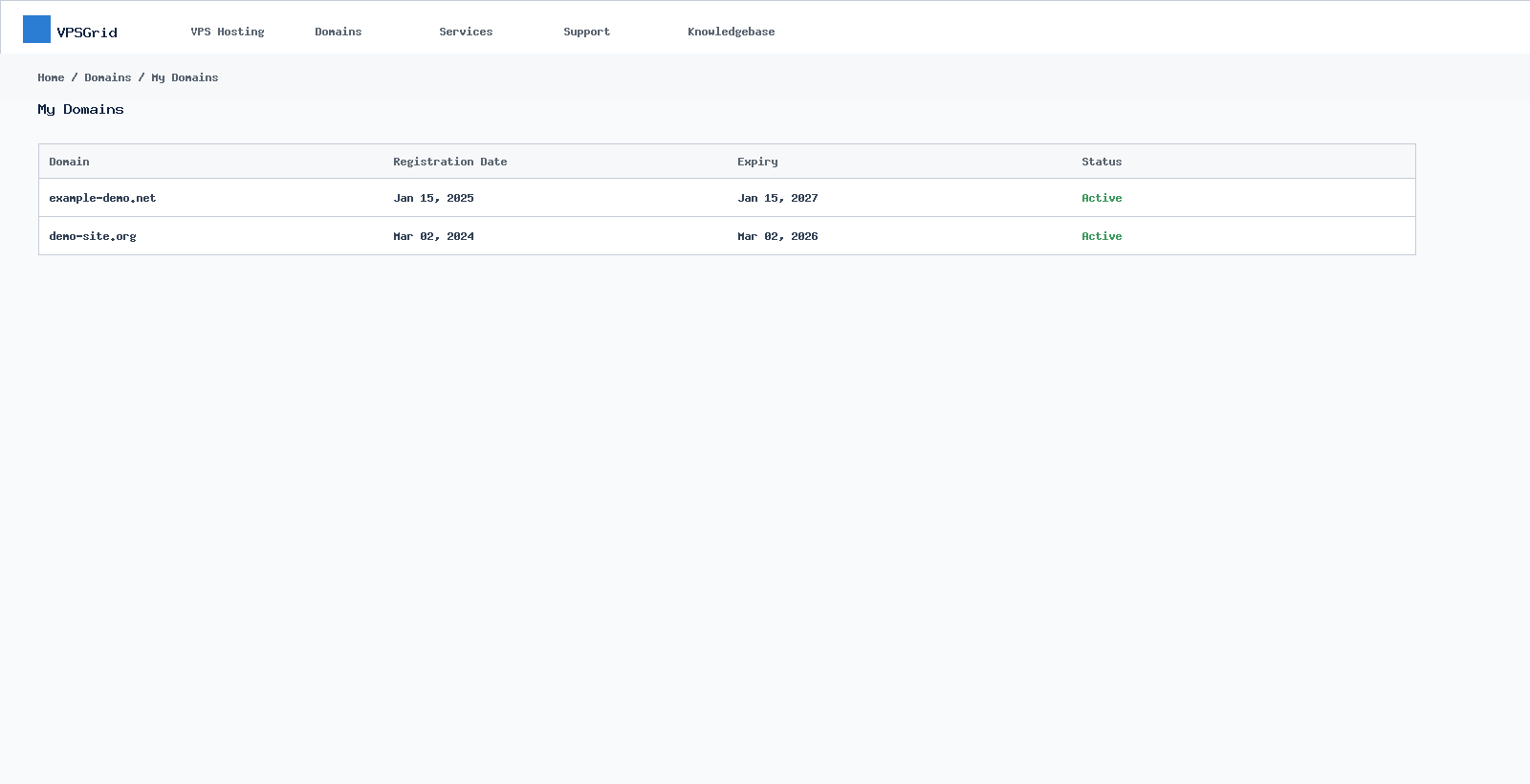 Manage registered domains under Domains → My Domains.
within minutes after payment. Status must show Active before DNS changes take effect globally.
Manage registered domains under Domains → My Domains.
within minutes after payment. Status must show Active before DNS changes take effect globally.
Transfer a Domain to VPSGrid
Transfers move management (and usually add one renewal year per registry rules) from your current registrar to VPSGrid.
Before you start
- Domain must be unlocked at the losing registrar
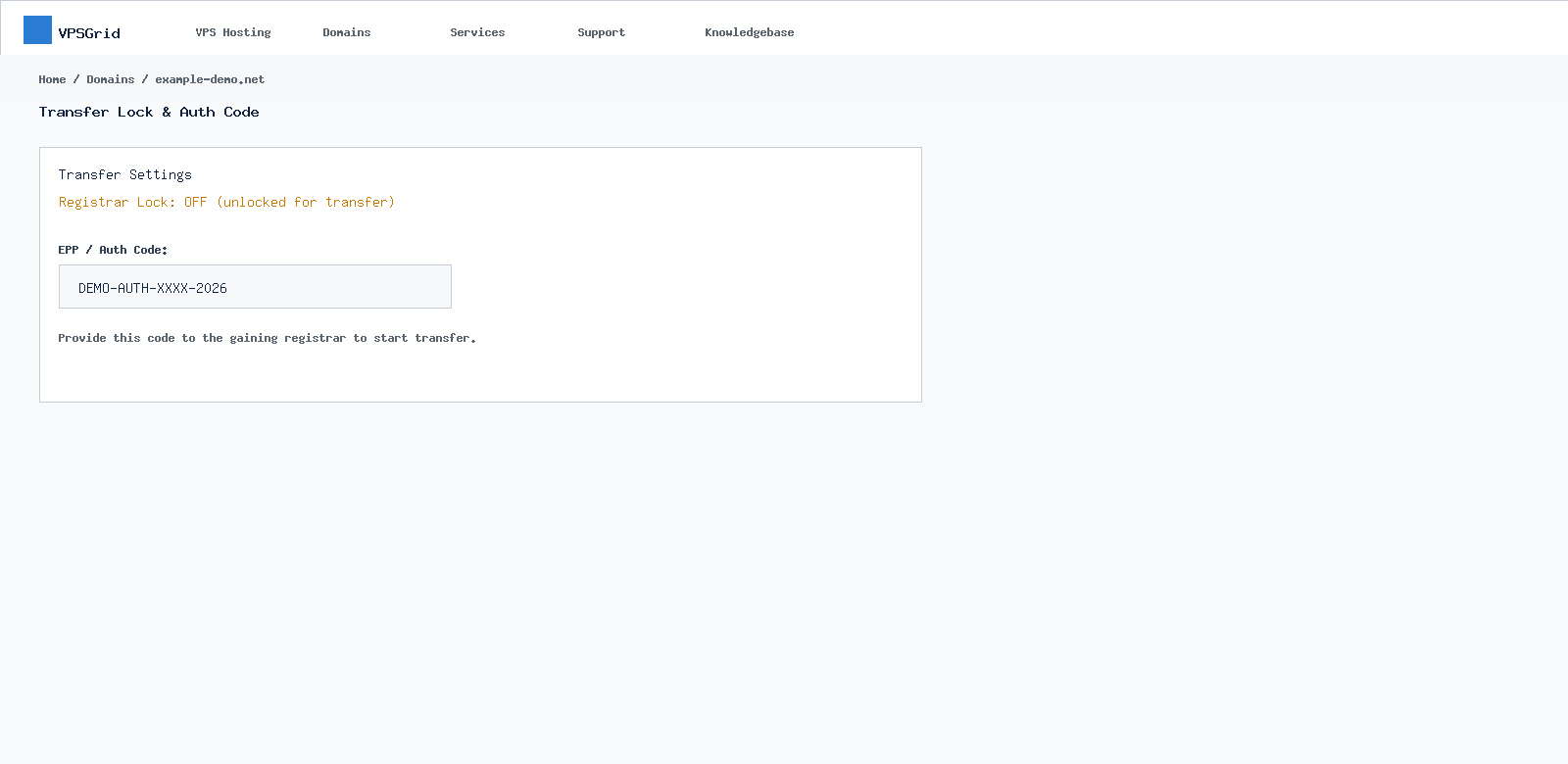 Unlock the domain and obtain the EPP/auth code before transfer out.
- Obtain the EPP/authorization code
- Confirm admin email is accessible — approval emails are sent
- Domain must be older than 60 days since registration or last transfer (ICANN rule)
Transfer steps
- In client area, go to Domains → Transfer Domain
- Enter the domain name and EPP code
- Pay the transfer invoice (includes extension per TLD policy)
- Approve transfer emails from both registrars if prompted
- Wait up to 7 days maximum (often faster) for completion
Renewals after transfer
Enable auto-renew under Domains → My Domains and keep a valid payment method on file. Full renewal workflow: How to Renew a Domain · Pay invoices: How to Pay an Invoice.
Renewal invoices appear under/s Billing → My Invoices. Pay before the expiry date to avoid DNS interruption. Domain renewals are excluded from the 72-hour VPS money-back guarantee.
Locks, Privacy, and Contacts
- Registrar Lock — enable to prevent unauthorized transfers
- WHOIS privacy — if offered for your TLD, enable in domain management
- Keep registrant email current — ICANN verification may suspend domains with bad contact data
After Transfer — Point to Your VPS
Update nameservers or DNS A records to route traffic to your VPSGrid Dallas KVM server. See How to Point a Domain to a VPS (workflow) and How to Point a Domain to Your VPS IP for A record examples, nameserver delegation, and propagation checks.
Domain Pricing at Checkout
TLD pricing varies by extension and promotional period. Always confirm the renewal price shown in cart before completing purchase — transfer and registration fees are separate from VPS hosting charges. Visit vpsgrid.net domain search for live pricing rather than relying on outdated third-party lists. Domain renewals are excluded from the 72-hour VPS money-back guarantee for first-time VPS customers.
ICANN Verification and Contact Accuracy
Registrant email accuracy matters. ICANN verification emails must be confirmed promptly or the domain may be suspended at the registry level — unrelated to VPS uptime. After transfer to VPSGrid, verify contacts under domain management and enable registrar lock once transfer completes to prevent hijacking.
Frequently Asked Questions
Can I transfer a .uk or country-code TLD?
Transfer support depends on registry rules for each TLD. Start transfer in the client area — unsupported TLDs will show an error at cart.
Transfer failed — domain locked
Disable lock at the old registrar, wait 24 hours, re-submit EPP code.
Can I renew for multiple years?
Available renewal periods depend on TLD — select options in the renewal cart at checkout pricing.
Invoice unpaid and domain expired?
Pay renewal invoice promptly. Redemption fees may apply after grace periods per registry policy.
Does domain price match vpsgrid.net checkout?
Yes — always confirm current TLD pricing in cart. Knowledgebase articles do not list fixed dollar amounts.
Can I use external DNS with a VPSGrid domain?
Yes — either edit records in VPSGrid DNS or point nameservers elsewhere. See How to Point a Domain to a VPS (workflow) and How to Point a Domain to Your VPS IP.
Related Articles
Need More Help?
Open a domain billing ticket if a transfer stalls beyond 7 days or renewal payment did not extend expiry.
Before opening a ticket, include:
- Domain name
- Transfer order ID or invoice number
- Screenshots of registrar lock/status
- EPP code confirmation (not the code itself in public channels)
Open a support ticket at billing.vpsgrid.net. For legal and policy terms, see vpsgrid.net/legal.
Was this answer helpful?

